Unit 11 Required Materials
Due Week 12 (Nov. 18): Required Readings and Materials on Teaching AI Literacy
Required Materials
A Video
-
- Getting Started with AI-Enhanced Teaching: A Practical Guide for Instructors. MIT Sloan Teaching and Learning Technologies.
- Includes this key video:
-
YouTube playlist of 5 videos by Ethan Mollick of the Wharton School on the basics of generative AI aimed at teachers and students.
- Includes this key video:
- Getting Started with AI-Enhanced Teaching: A Practical Guide for Instructors. MIT Sloan Teaching and Learning Technologies.
-
- Vogelsigner, Brett. (2023, June 12). Inviting Artificial Intelligence with Curiosity. NCTE.
- A short blog post on approaching AI positively
- “When I asked ChatGPT to create an analogy about itself, it had this to say: ‘Just as the Gutenberg Printing Press revolutionized the way information was disseminated and shared during the Renaissance, ChatGPT is changing the way people interact and communicate in the digital age. Both technologies have democratized access to knowledge and allowed individuals to connect and exchange ideas on a scale previously unimaginable.'”
- Gustafson, Anastasia. (2024, Jan. 1). Plagiarism is not on the guest list: A response to “Inviting Artificial Intelligence with Curiosity.” NCTE.
- A short blog response to Vogelsigner’s post claiming AI writing is just a fancy term for plagiarism
- Douma, Kara. (2023, Mar. 5). How to keep students writing in the age of AI tools. NCTE.
- A short blog post on teaching strategies
- Hemmelgarn, Chad. (2024, July 18). Aritificial Intelligence in Education. NCTE.
- Short blog post on ho9w to talk about AI in courses
- Vogelsigner, Brett. (2023, June 12). Inviting Artificial Intelligence with Curiosity. NCTE.
Optional Readings
A Report from the U.S. Department of Education
-
- Cardona, Miguel A., Rodriguez, Roberto J., & Ishmael, Kristina. (2023, May). Artificial Intelligence and the Future of Teaching and Learning: Insights and Recommendations. U.S. Department of Education, Office of Educational Technology.
-
- By Miguel A. Cardona, Ed.D. Secretary, U.S. Department of Education; Roberto J. Rodríguez Assistant Secretary, Office of Planning, Evaluation, and Policy Development; and Kristina Ishmael, Deputy Director, Office of Educational Technology
-
- Cardona, Miguel A., Rodriguez, Roberto J., & Ishmael, Kristina. (2023, May). Artificial Intelligence and the Future of Teaching and Learning: Insights and Recommendations. U.S. Department of Education, Office of Educational Technology.
A Book on AI
-
- Teaching with AI: A Practical Guide to a New Era of Human Learning by Jose Antonio Bowen and C. Edward Watson

- You are welcome to order the book from John Hopkins University Press for 30% off with code HTAI24)
- Teaching with AI: A Practical Guide to a New Era of Human Learning by Jose Antonio Bowen and C. Edward Watson
Begin Class Part 1 @ 5:30
Class Guest
- Melanie Holm, Co-Director of Graduate Studies in Composition & Applied Linguistics (CAL)
Unit 11 Class Activities
Part 1. Course Overview (5 minutes)
- Course Goal: Introduce theoretical ideas about how technology is causing literacy to evolve
- Course Goal: Expand doctoral students’ technological skills
- Learning Outcome: Improve understanding of how literacy is impacted by technology
- Learning Outcome: Gain insight into effective approaches for using technology to teach literacy
Managing Information Overload
- Tiago Forte’s Building a Second Brain
- Technology Skill: Managing Projects
- David Allen’s Getting Things Done & Merlin Mann’s Inbox Zero
- Technology Skill: Managing Email
- Articles on Developing Professional Web Presence
- Technology Skill: Creating a Professional Website
Technology’s Impact on Literacy
- Walter Ong, James Gee, and Paulo Freire on Literacy (literacy as knowing the world)
- Mark Prensky on Digital Natives vs. Digital Immigrants (technology changing the world)
- Johann Hari’s Stolen Focus (technology lowering our ability to pay attention)
- Technology Task: Going Tech Free
- Ryan Holiday’s Trust Me I’m Lying (technology changing the information we get)
Teaching with Technology
- Flower Darby’s Small Teaching Online
- Jose Antonio Bowen and C. Edward Watson’s Teaching with AI
- Technology Skill: Your Technology Project
Lesson Overview
- Lesson Objective 1: To reflect upon the way AI will shape teaching
- Lesson Objective 2: To experiment with some uses of AI
The Nature of AI
Part 2. AI Summary (15 minutes)
- AI is Ubiquitous, Undetectable, and Transformative (see Mollick and Mollick video)
- In 6 months, AI use in knowledge workplaces has jumped 75% (roughly according to Bowen and Watson)
- AI is being advertised as a benefit for widespread services
- AI will raise the quality of the work people can produce
- Some academics have been asking, how can we stop students from cheating with AI
- Many employers are asking, where are the workers who can use AI to help us grow our businesses
- Many recent college graduates are asking, why weren’t we trained in how to use AI?
- We should be asking, how to we change our teaching to make better use of AI?
-
-
YouTube playlist of 5 videos by Ethan Mollick of the Wharton School on the basics of generative AI aimed at teachers and students.
- Developed initially partially from trying to sell us things and to automate reptitive/dangerous tasks (like driving)
- Large Language Models
- 2017
- Predictive
- Autocompletion
- ChatGPT 3.5 to 4.0, 90% scores across all major tests (ACT, SAT, GRE, LSAT, The Bar Exam)
- AI makes us more powerful and productive
- Work faster and produce better work
- Questions about fair use
- Reflects human bias
- What if we pass off too much of our work to AI?
-
- Large Language Models (LLMs)
- ChatGPT 3.5
- Not connected to the Internet
- ChatGPT 4.0
- Now connected to the Internet
- Application Programming Interface (API)
- Sits on top of ChatGPT
- Microsoft Copilot
- Called Bing Chat Box in the video
- Connected to the Internet
- Google Gemini
- Called Google BARD AI in the video
- AI Characteristics
- Like working with a human assistant
- Trained on human knowledge
- Makes mistakes like humans
- Good at human tasks
- Needs you to interact with it like a human
- Feels human when you work with it, but is not human
- Good at human stuff
- Good at writing and analysis
- Good at creative tasks and creating images
- Good at coding and working with data
- Good at summarizing results
- Good if you give them clear instructions, so can be made into:
- Teachers
- Office Assistants
- Editors
- Downsides
- AI can make stuff up/halluciante
- Can be wrong or subtly wrong, so must be evaluated critically
- The output changes all the time
- AI isn’t magical–it can’t do everything; it fools you a little
- AI can make stuff up/halluciante
Part 3. Small Group Discussion (30 minutes)
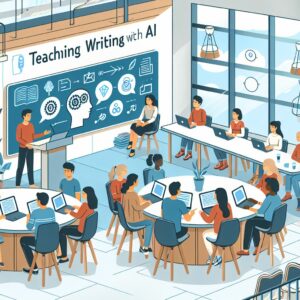
Discuss the following questions about the ethics of teaching with AI. Dr. Pagnucci used Microsoft Copilot to generate these questions (but added a AI definition of “black box” in italics). Dr. Pagnucci also used AI to generate the graphic:
- Teacher Roles and Responsibilities: How might the integration of AI in teaching writing change the role of the teacher? What new responsibilities might teachers have in guiding students’ use of AI tools?
- Creativity and Originality: How can educators encourage creativity and originality in student writing when AI tools can generate content? What are the ethical considerations in balancing AI assistance with fostering students’ own voices?
- Transparency and Explainability: How important is it for students to understand how AI writing tools work? What are the ethical implications of using AI tools that operate as “black boxes” (where users don’t know how the AI system arrives at its conclusions)?
- Accessibility and Equity: How can AI writing tools be made accessible to all students, including those with disabilities? What steps can be taken to ensure that AI does not widen the educational gap between different socioeconomic groups?
Part 4. Full Class Discussion (30 minutes)
- Let’s talk about some of the ethical considerations concerning teaching and AI
Part 5. Technology Project Summary (10 minutes)
- Write a summary of your project (1-2 paragraphs)
- List some of the key references for your project
Part 6. Break (10 minutes)
Begin Class Part 2 @ 7:00 Media Manipulation
Working with AI
Part 7: Microsoft Copilot
- While there are many AI interfaces out there, we will experiment with Microsoft Copilot because it is powerful, connected to the Internet, and integrated with IUP’s technology systems
- Login to Microsoft Copilot
- Microsoft Copilot for Teachers
- Copilot for Work is FERPA and HIPPA compliant
Part 8. Creating a PowerPoint for your Technology Project Presentation (10 minutes)
- Upload your Technology Project description into Copilot
- Upload any references you have for your project into Copilot
- Upload the Technology Project Presentation description into Copilot
- Ask AI to create a PowerPoint presentation for your Technology Project working from the material you uploaded
- Then see what suggestions AI has to further enhance your presentation
Part 9. Artwork for Your Technology Project (5 minutes)
- Ask AI to create some images to enhance your project presentation
Part 10. Music for Your Technology Project (5 minutes)
- Ask AI to suggest some good music to accompany your project presentation
Part 11. Small Group Discussion: Does AI do your work better than you can? (15 minutes)
Discuss the following questions in your group:
- How good was AI at designing a presentation for you?
- What did you like about what AI came up with?
- Where did it seem to fall short?
Part 12. Small Group Discussion: Does AI do your work better than you can? (15 minutes)
- What did you learn about using AI?
Part 13. Vogelsinger vs. Gustafson (on the Question of Plagiarism)
Some Questions from Vogelsinger
- What is valuable about human writing–both for the reader and the writer–that AI cannot replicate? How will I express and demonstrate this to students?
- How might AI be used as an insightful, knowledgeable, and blazingly efficient conference partner or tutor?
- When is it important for a first draft to be exclusively human-created, and when is it valuable to jumpstart a draft with AI assistance?
- How can this technology help students to acquire more practice in the interesting, difficult, and meaningful work of revision by streamlining first drafts?
Gufstason
- “Artificial intelligence technology, when used to generate writing for any form of publication, is plagiarism that cannot be solved by a citation or footnote.”
- “This is because of how AI technology works to “compose” any form of writing. Simply put, AI is given written samples from a multitude of authors (many of whom do not offer their permission for such experiments), and then the AI works to Frankenstein it all together with the goal of presenting a “new” piece of work. But, just like Frankenstein’s monster, the writing produced by AI is missing an invaluable and intangible aspect of human authenticity. There is no originality in AI-generated content; it is all clippings from other people’s work that are stitched together to simply appear original, which is plagiarism by definition.”
Part 13. AI Resources
Assignments
Week 14: Week of Nov. 25
Individual Conferences
No Regular Class Meeting–Managing Your Tech Project
- Schedule 1 meeting with Dr. Pagnucci during Week 13 or Week 14
- Thursday Nov. 21 (9 a.m.-2 p.m.)
- Monday Nov. 25 (9 a.m.-Noon)
- Tuesday Nov. 26 (9 a.m.-3 p.m.)
- Monday Dec. 2 (2 p.m.-8 p.m.)
- Tuesday Dec. 3 (2 p.m.-6 p.m.)
- Individual Work Week
- And Thanksgiving (Nov. 27)!
Week 15: Week of Dec. 2
Individual Conferences
No Regular Class Meeting–Managing Your Tech Project
- Schedule 1 meeting with Dr. Pagnucci during Week 13 or Week 14
- Individual Work Week
Week 16: Dec. 9
Presentations & Logging Off